1. Introduction to ICT
Information and Communication Technology (ICT) refers to technologies used for communication, data sharing, information processing, and economic development.
ICT helps in:
Fast communication
Information sharing
Education, business, banking, health
E-governance and development
Telecommunication
Transmission of data or information from one place to another using electronic means.
Examples:
Mobile phone
Internet phone
Television
Radio
Landline telephone
History of ICT
World
1950–1980: Electronic Data Processing (EDP) used in developed countries
Used mainly for calculations and record keeping
Nepal
1974: National Computer Center (NCC) established
1995 onward: Computers used in:
Banking
Hotel booking
Air ticketing
Email and Internet services
2. Communication
Communication is the process of sending and receiving data or information between two or more people or devices.
Elements of Communication
Sender
Message (Data)
Medium
Receiver
Feedback
2.1 Data Communication Modes
ModeDescriptionExampleSimplexOne-way communicationTV, RadioHalf DuplexTwo-way, one direction at a timeWalkie-talkieFull DuplexTwo-way simultaneouslyMobile phone3. Components of Data Communication
Data (Message) – Information to send.
Sender – Device sending data.
Medium – Channel connecting devices.
Receiver – Device receiving data.
Protocol – Rules followed during communication.
4. Communication Media
Communication media is the path through which data is transmitted.
4.1 Guided (Wired) Media
a) Twisted Pair Cable
Two copper wires twisted together
Types:
UTP: Cheap, up to 100m, low bandwidth
STP: Shielded, high bandwidth
Connector: RJ-45
b) Coaxial Cable
Inner conductor + outer shield
Better bandwidth than twisted pair
Connectors: BNC, T-connector
c) Fiber Optic Cable
Uses light signals
Very high speed
Immune to electromagnetic interference
Connectors: ST, SC, SMA
4.2 Unguided (Wireless) Media
a) Radio Waves
Used in radio, TV, mobile communication
Types: AM, FM, PM
b) Microwave
Line-of-sight transmission
Requires towers and repeaters
c) Satellite Communication
Uses artificial satellites
Global coverage
5. Computer Network
A computer network is the interconnection of two or more computers to share data, hardware, software, and resources.
5.1 Advantages
Resource sharing
Fast communication
Centralized backup
Internet access
5.2 Disadvantages
Virus and malware risk
Cybercrime
High setup cost
Needs skilled administrator
5.3 Network Devices
DeviceFunctionNICConnects computer to networkHubBroadcasts data to all devicesSwitchSends data to selected deviceBridgeConnects similar networksRouterConnects different networksGatewayConnects different protocolsRepeaterBoosts weak signalsModemConverts digital ↔ analogFirewallProtects from unauthorized accessAccess PointProvides wireless connection5.4 Bandwidth
Bandwidth is the amount of data transmitted per second.
Measured in bps (bits per second).
Higher bandwidth = faster data transfer.
6. Network Software
Network Operating System (NOS)
Software used to manage network resources.
Examples:
Windows NT
Linux
Novell NetWare
Functions:
User management
File and printer sharing
Security control
Protocol
A protocol is a set of rules for data communication.
Examples:
TCP/IP
HTTP
FTP
SMTP
POP
7. Types of Networks
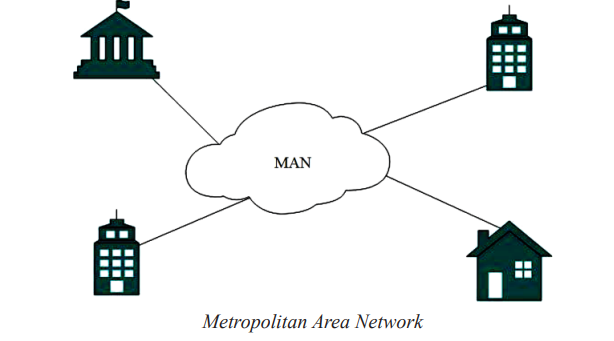
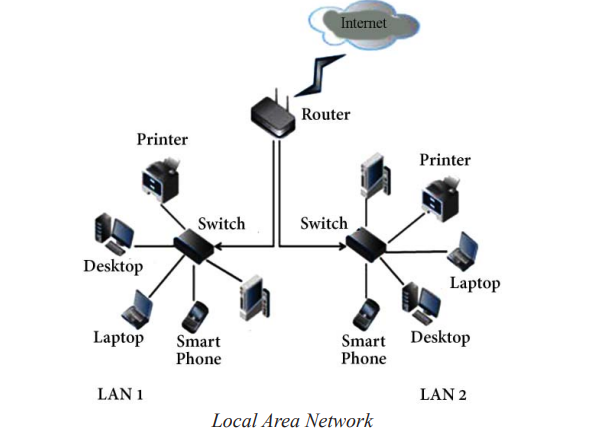
TypeCoverageExampleLANSmall areaSchool labMANCityCable TVWANWorldwideInternet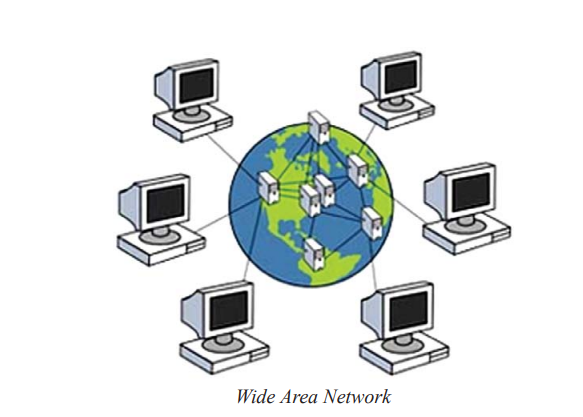
8. Network Architecture
Peer-to-Peer (P2P)
Equal nodes, decentralized, no server.
Advantage: Easy sharing, no admin needed.
Disadvantage: Low security, difficult backup.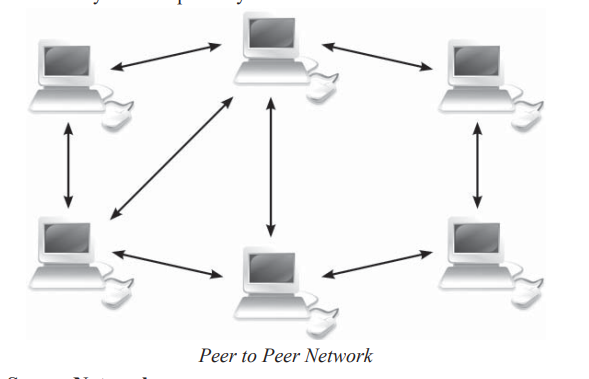
Client-Server
Central server provides resources.
Advantage: Centralized backup, better security.
Disadvantage: High cost, needs admin.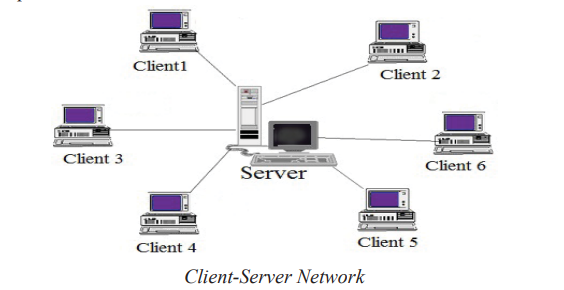
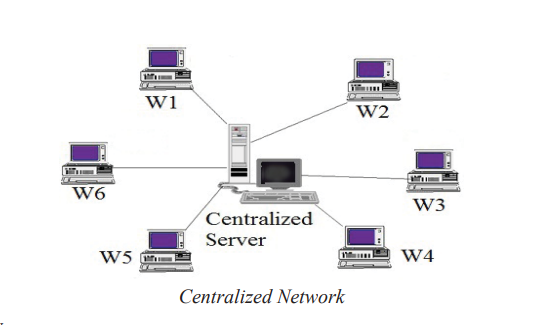
Centralized Network
Host computer does processing; workstations only for I/O.
Advantage: Cost-effective, secure data.
Disadvantage: Host failure affects all.
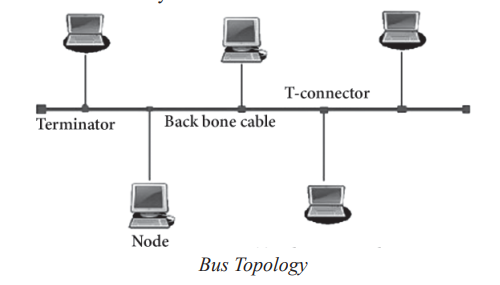
9. Network Topologies
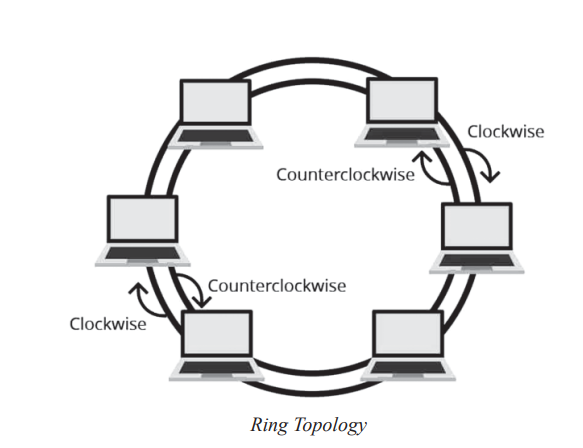
TopologyAdvantageDisadvantageBusCheapCable failure stops networkRingHandles trafficFailure affects allStarFast, easy troubleshootingHub failure stops network failure stops network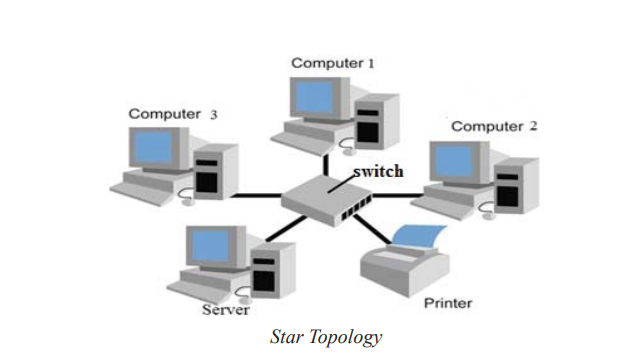
10. Internet & Its Services
Definition: Global network of networks using TCP/IP.
History: ARPANET 1969 → Worldwide 1992 → Nepal 1994.
Services
WWW (World Wide Web) – Hyperlinked multimedia documents.
Email – Fast global communication with attachments.
Telnet – Remote computer access.
FTP – File transfer between computers.
Search Engine – Finds information using keywords (Google, Yahoo).
IRC/Chat/Video Conference – Real-time communication.
Online Banking – Conduct financial transactions online.
E-commerce – Buying/selling goods/services online (B2B, B2C, C2C, C2B).
11. Important Terms
Duplex Mode – Two-way data transmission.
Protocol – Rules for network communication.
Fiber Optic Cable – Light-based data transmission.
Radio Wave – Electromagnetic wave for wireless communication.
Repeater – Boosts signals for long-distance transfer.
Computer Network – Interconnection of multiple computers.
Hub – Connects multiple devices; broadcasts data.
Router – Connects multiple networks.
Network Software – Manages network.
Internet – Network of networks.
Email – Sending/receiving electronic messages.